A great video nobody sees isn't great. Get it out.
Your clay-keychain tutorial is genuinely charming. It has 261 views. The Pebeo restock teaser is the best-looking thing in your library — 114 views. The creative isn't the problem; nothing pushed it. Distribution is the other half of the job — and here's a ready-to-launch campaign for your media buyer.
Half the job is getting it seen
Here's the actual filmstrip of a good video almost nobody watched. Charming, well-shot, result-first — and 261 views, because there was no distribution behind it. The fix isn't a better video; it's a megaphone.
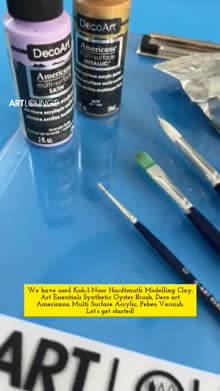
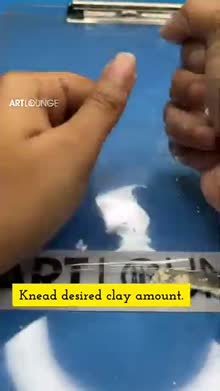

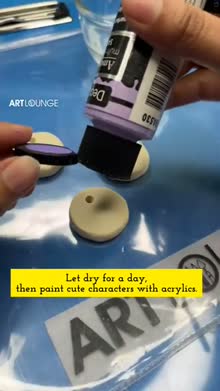
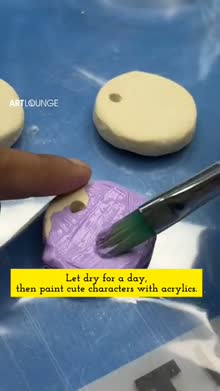



"Clay keychains" — good enough to teach from, seen by almost no one.
Four ways to get seen
Organic channel + Shorts
Post real videos + cross-post reels as Shorts. Builds an owned audience that compounds. You already make the content.
Demand Gen ads
Paid, in-feed + Shorts + in-stream, with your product feed. The main lever — and it finally shows per-video performance.
Video Action / in-stream
Skippable ads before other videos, for the educational content → site.
Feed PMax real videos
Upload your best human videos into the existing Google campaigns so it stops auto-generating slideshow junk.
The workhorse, deep
Demand Gen is Google's ad type built for YouTube + visual feeds. One campaign holds several ad groups, each pointed at a different audience, each fed the right creative. Unlike PMax, it shows you which video, which audience, which placement actually worked — so you can learn and scale instead of guessing.
Campaign (budget, bidding, geo) → Ad groups (one per audience) → Ads (your cutdowns). Get the audience-to-creative match right; the rest is optimisation.
A Demand Gen campaign you can launch this week
Hand this to the media buyer. It's a complete starting structure — settings, four ad groups, and how to budget them.
Campaign settings
| Setting | Start with |
|---|---|
| Objective | Sales / “drive conversions” (website purchases) |
| Bidding | Maximise conversions to start; switch to target CPA/ROAS once it has ~30 conversions |
| Conversion | Purchase (primary) + add-to-cart (secondary / observe) |
| Geography | India, metros prioritised; keep a store-radius layer for the store-visit angle |
| Language | English, Hindi, Marathi — matched to each creative cut |
| Product feed | Linked, so ads can show shoppable products |
The four ad groups
| Ad group | Audience signal | Creative | Goal |
|---|---|---|---|
| AG1 · Beginners | Custom segment: “watercolour for beginners”, “how to start oil painting”, “beginner art kit” | Beginner scripts (60–90s + 30s) + “starter kit” Short | First purchase |
| AG2 · Conquest | Custom segment on Winsor & Newton, Camlin, Pebeo, Faber-Castell + “best art store india” | W&N vs Camlin (30s), Genuine vs Fake (90s) | Switch / consideration |
| AG3 · Warm | Customer-match list + site visitors + cart abandoners | Retargeting 15s + product/offer Short | Recover / repeat |
| AG4 · Broad | In-market Arts & Crafts + lookalike of buyers | Brand bumper (6s) + “10 Reasons” re-cut (30s) + best Shorts | Volume / discovery |
Budgeting
Opening split
~40% AG4 Broad (volume) · ~25% AG2 Conquest · ~20% AG1 Beginners · ~15% AG3 Warm. Warm converts best but is small — don't over-feed it.
Discipline
Don't pause or edit ad groups daily — it resets learning. Give each 7–10 days, then move budget to winners.
Set the daily budget to your existing Google appetite — start conservative, prove the funnel, then scale. The point of Demand Gen isn't to spend more; it's to spend visibly, so you finally know what works.
Two more surfaces, two jobs
⏯️ Video Action / in-stream
Skippable ads before other videos. Best for educational Rajesh content driving cold + custom-intent traffic to category pages. Hook in 2s or they skip at 5.
📱 Shorts — the cheap unlock
You already make vertical reels for Meta. Cross-post them as YouTube Shorts (organic) and run Demand Gen against the Shorts surface. A whole new channel, near-zero marginal cost.
Escape the black box
The whole reason to leave PMax for video: you finally see what's working. Watch these — and judge YouTube as upper/mid-funnel, not last-click.
View rate & CPV
Are people watching? Cheap, high view-rate = a working hook.
Conversions + view-through
Direct + assisted, per video and per ad group — now visible.
Branded search + direct
The halo: do name-searches and direct visits rise when it runs? That's YouTube working.
30 / 60 / 90, campaign version
Upload best human videos into PMax (kill auto-gen). Cross-post reels to Shorts. Build the custom segments, the customer-match list, and the retargeting lists. Cut the top 3 Rajesh videos into 6/15/30s + wide.
Launch the Demand Gen campaign (the 4 ad groups above). Film EP1–EP3. Start the “Ask Rajesh Uncle” posting rhythm.
Add in-stream on conquest + beginners. Move budget to winning ad groups. Grow the show to 8–12 episodes.
Product feed linked · conversion tracking firing · custom segments built · customer list uploaded · 6/15/30s cuts ready (wide + tall) · clean captions · one CTA per ad · budgets set conservative.